How to Reset a Meat Thermometer Correctly
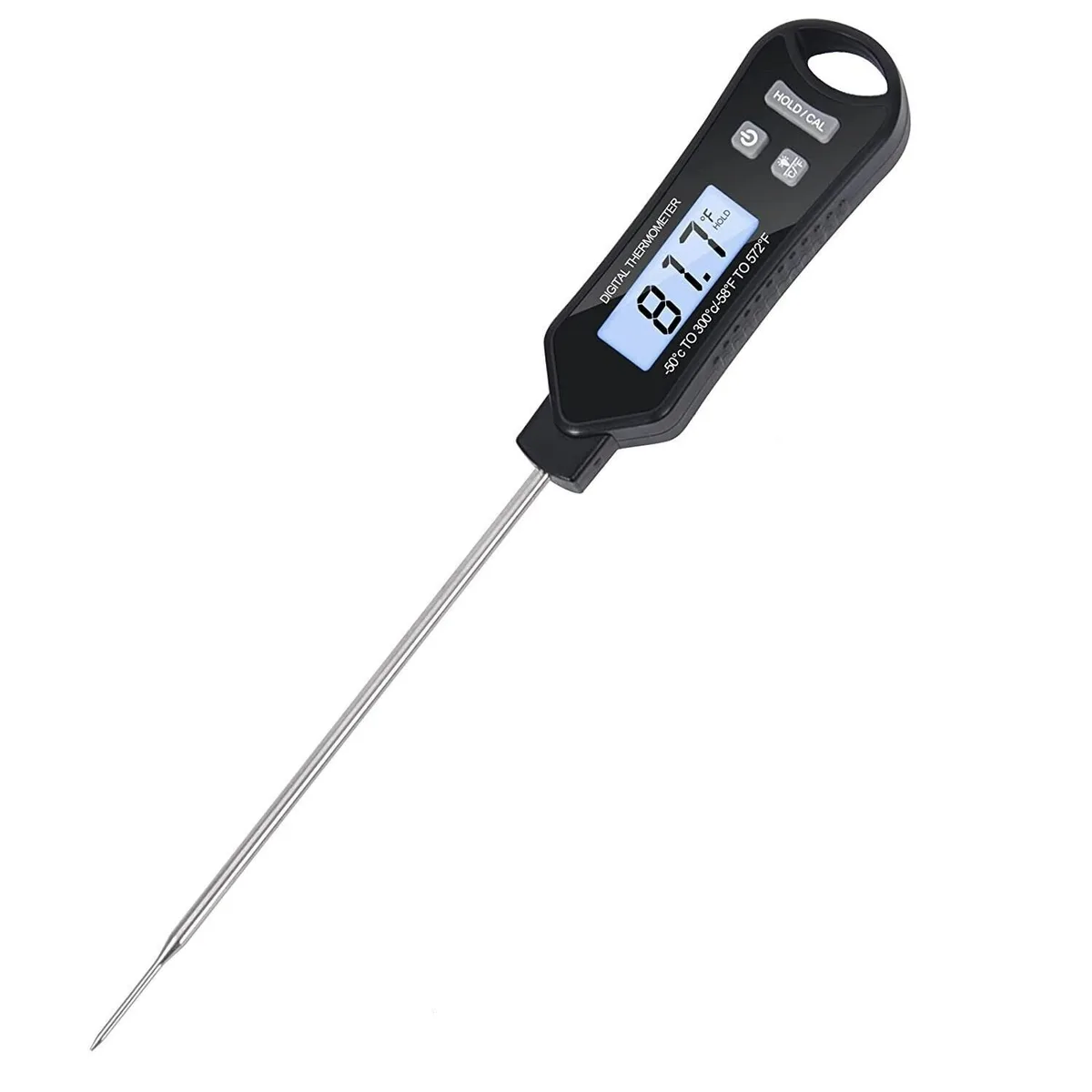
Your meat thermometer is stuck on one number, or it refuses to turn off, or every reading seems 10 degrees off. You don't need to toss it, but you do need to know how to reset a meat thermometer. In our research, the fix is usually a battery pull, a button press, or a quick recalibration.
As of 2026, most digital models still use the same basic reset logic, even as brands add Bluetooth and app support.
Manufacturer specs show the most common thermometers use a 3V CR2032 battery, and a weak battery causes more phantom glitches than any software bug. Pair that with a frozen screen, and you've got the two reasons people search for this fix. Let's walk through the reset process by identifying what's on your counter first.
Image source: Bing (Web (fair-use with source credit))
Quick Answer
The fastest way to reset a meat thermometer is to remove the battery. Wait 30 seconds, then reinsert it. If that fails, hold the reset button for 5 to 10 seconds.
Analog dials need a calibration nut twist instead.
First, Figure Out What Kind of Meat Thermometer You Have
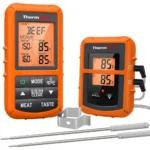
The reset process depends entirely on the device in your hand. An instant-read thermometer has one probe and a digital display. A leave-in model uses a wired probe that stays inside the oven or smoker.
Smart models add an app connection, and analog dials have no electronics at all.
Instant-Read vs. Leave-In Probe vs. Analog vs. Smart
Instant-read digital thermometers are the ones most people own. They turn on, show a reading in seconds, and power off automatically. Leave-in probe thermometers have a probe attached to a cable and a base unit that displays the temperature.
Smart thermometers add Bluetooth or WiFi pairing, while analog models use a simple bimetallic coil under a dial.
Why the Reset Method Changes Based on Your Model
If you own an instant-read model, a reset button or battery pull fixes 90% of issues. With a leave-in probe model, the probe and base unit often need to be re-paired. Smart thermometers require clearing the Bluetooth connection.
Analog dials only need a mechanical adjustment, which is called calibration, not a reset.
Quick Fixes to Try Before Any Reset
Before you hunt for a hidden reset button, do the easiest fix first. Most freezes and bad readings are power-related. Remove the battery, wait 30 seconds, and pop it back in.
This clears the internal memory on many digital thermometers.
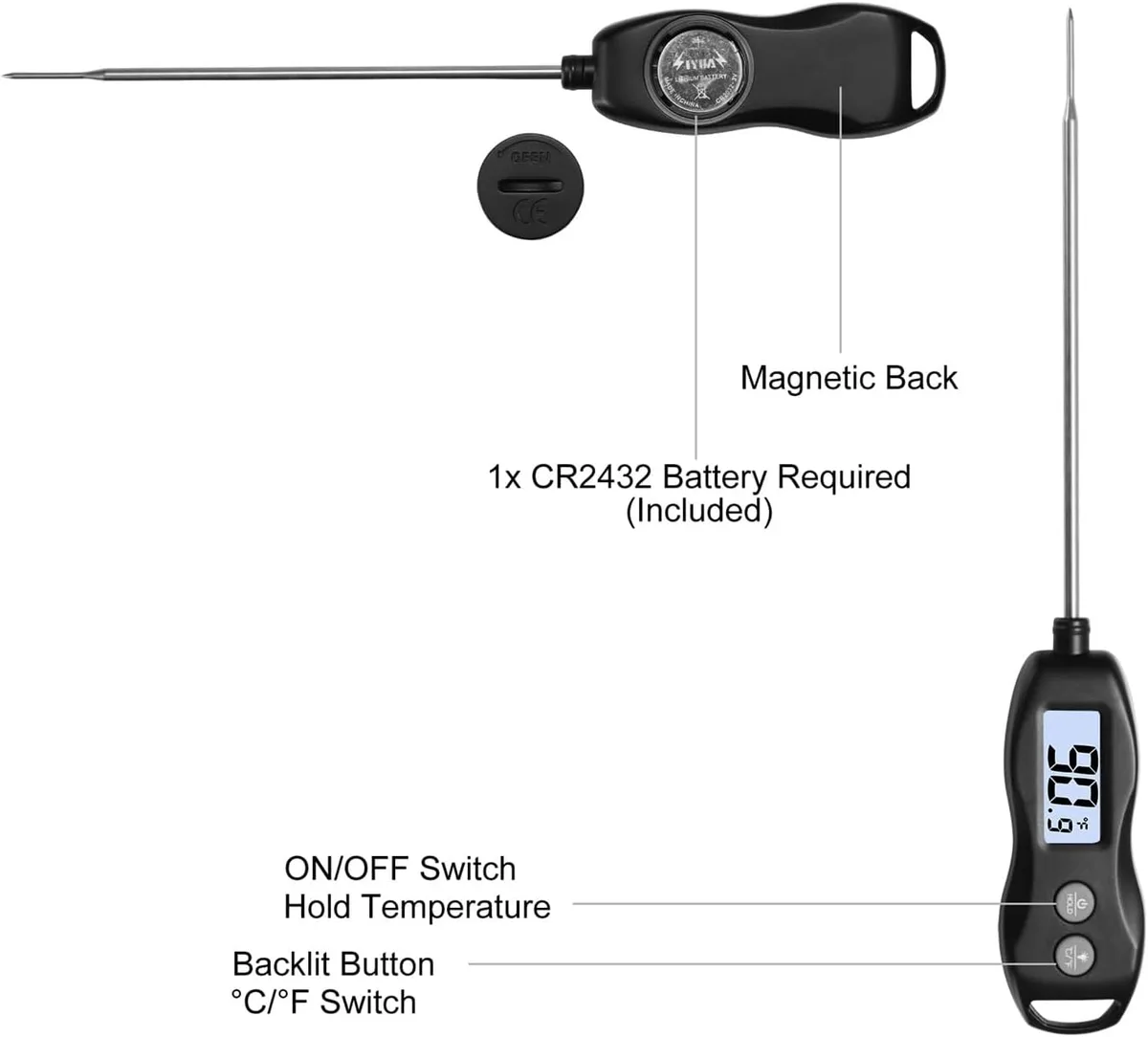
Image source: Bing (Web (fair-use with source credit))
The 30-Second Battery Pull
Use a small Phillips screwdriver to open the battery compartment. Check the contacts for corrosion or whitish gunk. If you see buildup, clean the metal with a cotton swab and white vinegar.
Let it dry completely before reassembling.
How to Spot a Frozen Screen vs. a Dead Thermometer
A frozen screen holds one reading and does not react to new temperatures. A dead thermometer shows nothing at all. If the screen stays on but never changes, the battery pull usually works.
If it powers off immediately, replace the battery before attempting any other reset.
How to Reset an Instant-Read Digital Thermometer
Most instant-read thermometers fall into two groups. Some have a visible reset button. Others hide a small pinhole behind a rubber cover.
Both are simple to handle.
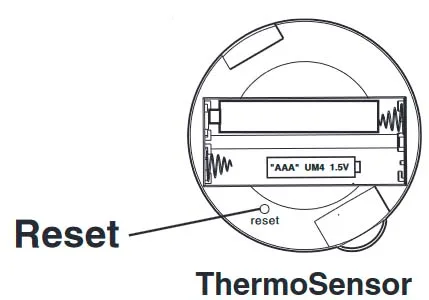
Image source: Bing (Web (fair-use with source credit))
Finding the Reset Button or Pinhole
Look along the side of the thermometer, near the battery compartment or under the brand label. The pinhole is usually marked "RESET" and needs an unfolded paperclip. Insert the paperclip and push gently for 3 to 5 seconds.
The display should flash or clear.
Holding the Right Button Combination for a Factory Reset
If there's no pinhole, use the power button. Press and hold the power button for 10 seconds. On some models, hold "Power" and "Mode" together for 5 seconds.
Release when the display blinks, then test the thermometer in warm water.
How to Reset a Leave-In Probe or Smart Bluetooth Thermometer
Leave-in probe models work differently because the probe and base unit talk to each other. When they lose connection, your thermometer may show "Err" or "OPEN." Unplug the probe from the base, remove batteries from both, wait 30 seconds, and reassemble. Then press and hold the pairing button until the indicator light blinks.
Re-pairing the Probe with the Base Unit
The pairing button is usually labeled "Pair" or "Link." Press and hold it until the base unit lights up. The display should switch to the live temperature. If the error text stays, inspect the probe cable for cracks or worn spots.
Resetting the App Connection on Smart Models
For Bluetooth thermometers, forget the device in your phone's Bluetooth settings. Then open the thermometer's app and follow the pairing prompts. Keep the probe within 3 feet of your phone.
On WiFi models, reconnect the base unit to your network. Weak batteries cause constant disconnects, so start with fresh ones.
When a Reset Won't Fix It: Recalibration Instead
A reset clears the memory, but it cannot fix a sensor that has drifted. If your thermometer reads 40°F in ice water, it needs calibration. This is normal, and it happens more often than people think.
Ice Water Method (32°F)
Fill a cup with crushed ice and add cold water. Stir for 30 seconds, then insert the probe at least 2 inches into the slurry. Wait 10 seconds and check the reading.
It should be 32°F exactly. If not, use the calibration button or the small nut on the probe to adjust.
| Method | Target Reading | Important Note |
|---|---|---|
| Ice water | 32°F | Use crushed ice and cold water |
| Boiling water | 212°F at sea level | Drops about 1°F per 500 ft elevation |
Boiling Water Method (212°F at Sea Level)
Boiling water should read 212°F at sea level. For every 500 feet of elevation gain, the boiling point drops about 1°F. Per NIST's temperature calibration standards, boiling water is only reliable if you know your altitude.
For most people, the ice water test is simpler and safer.
How to Know If the Sensor Is Truly Dead
If recalibration does not hold and readings keep jumping around, the sensor is failing. A frayed cable or a cracked probe cannot be fixed by resetting. On leave-in models, a replacement probe often costs less than a new base unit.
Compare your readings against USDA's safe minimum internal temperatures before cooking for anyone else.
Common Reset Mistakes and Misdiagnoses
Most people reach for the wrong fix first. They try to recalibrate when a simple factory reset would work. Or they throw away a thermometer that just needed a fresh battery.
Let's clear up the confusion.
Recalibrating When You Really Needed a Factory Reset
A stuck screen is not a calibration problem. If the display shows 180°F and does not change when you touch warm water, the memory is locked, not the sensor. Hold the power button for 10 seconds first.
The numbers should jump.
Ignoring Corroded Batteries
Green or white crust on battery contacts acts like a broken switch. It breaks the circuit. Clean it off with white vinegar and a cotton swab.
Let the compartment dry for five minutes. That alone fixes many "dead" units.
Assuming the Probe is Broken When the Cable Is Frayed
A frayed cable on a leave-in model still sends signals. It just sends them erratically. Inspect the full length of the cable before you throw out the probe.
A small tear often accounts for jumping temperatures.
Quick Reset Decision Guide
Use this guide if you are unsure which method applies to your situation.
| Problem | Symptom | Next Step |
|---|---|---|
| Frozen screen | Number stays unchanged | Pull battery for 30 seconds |
| Dead display | No lit screen | Replace battery first |
| "Err" message | Probe or base disconnected | Re-pair probe and base unit |
| App not connecting | Bluetooth lost | Forget device in settings, re-pair |
| Wrong temperature | Off by 10+ degrees | Calibrate with ice water |
| All else fails | Nothing works | Contact manufacturer support |
Your Thermometer, Your Situation, the One Move That Fixes It
If you have an instant-read digital, try the battery pull first. If you own a leave-in probe, re-pair the probe. For smart units, clear the Bluetooth connection.
Analog dials need a recalibration nut twist. When in doubt, start with the battery compartment.
FAQs About Resetting Meat Thermometers
How do I force a reset if there's no reset button?
Remove the battery and press the power button for 10 seconds. This drains any residual charge. Reinsert the battery after 30 seconds.
The memory clears during that time.
Why is my meat thermometer stuck on 32°F?
It is likely in calibration mode, or it was left in an ice bath. Exit the mode by pressing the power button. If that does not work, remove the battery for 30 seconds.
Can I reset a meat thermometer without a paperclip?
Yes. Use a toothpick, a staple, or the tip of a sewing needle. Anything that fits the pinhole works.
Just avoid bending the contact inside.
How often should I calibrate my meat thermometer?
Every few months or after a drop onto a hard surface. Ice water calibration is quick. It is worth doing before the holiday roast or a long smoke.
Does replacing the battery reset it?
Usually, yes. Removing power clears the memory on most digital models. Wait 30 seconds for the residual charge to drain.
Then insert the new battery.
What does "Err" mean on my meat thermometer?
It means the probe is disconnected or the sensor is damaged. Try re-pairing the probe with the base unit. If the error persists, inspect the cable for visible damage.

Similar Posts